
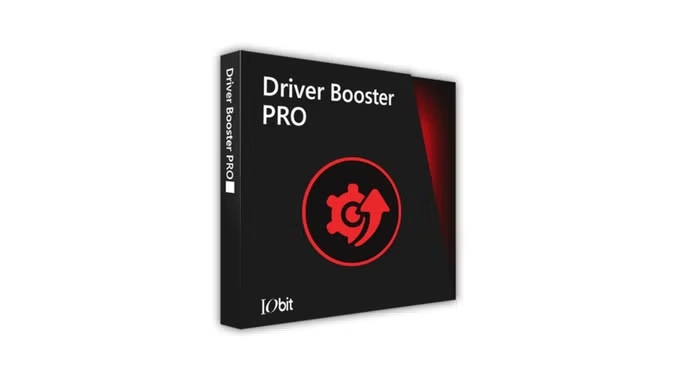
IObit Driver Booster 12: The Definitive Guide to PC Driver Management
In the intricate ecosystem of PC maintenance, driver management stands as a critical pillar for system stability and peak performance. This article delves into IObit Driver Booster, a leading utility in this space, to determine its efficacy and value for both casual users and IT professionals.
Ensuring that your computer’s drivers are up-to-date is a foundational aspect of cybersecurity and system optimization. Outdated drivers can introduce performance bottlenecks, hardware conflicts, and even security vulnerabilities. While Windows Update provides a baseline of driver management, specialized tools like IObit Driver Booster promise a more comprehensive and streamlined solution. But does it deliver on this promise? This professional review will analyze its features, performance, and overall value proposition.
Tech Details: IObit Driver Booster offers full compatibility with all versions of Windows, including Windows 11, 10, 8.1, 8, 7, Vista, and XP. The software is lightweight, requiring minimal system resources to operate effectively.
Core Functionality: Automating Driver Updates
The primary function of IObit Driver Booster is to automate the otherwise tedious process of identifying, downloading, and installing the correct drivers for your system’s hardware. With a database reportedly containing millions of device drivers, the software scans your PC and flags any drivers that are outdated, missing, or incorrect.
The “one-click” update feature is a major draw, simplifying a task that could otherwise take hours of manual searching and verification. This is particularly beneficial in a corporate environment or for users managing multiple machines, where efficiency is paramount. For those looking to get started, a driver booster free download is available from the official IObit website.
IObit Driver Booster Free vs. Pro: A Cost-Benefit Analysis
IObit offers a tiered approach with its software: a free version and a premium “Pro” version.
- Driver Booster Free: The free edition offers fundamental scanning and updating for most common drivers. It’s a capable tool for basic maintenance and a good entry point for users new to dedicated driver updaters.
- IObit Driver Booster Pro: The Pro version unlocks the full potential of the software. Key advantages include access to a larger database of rare and specialized drivers, unlimited download speeds, automatic driver backup and restore functionalities, and the inclusion of updated game components like Microsoft Visual C++ redistributables.
Many users actively search for an IObit Driver Booster 11 key or a generic driver booster pro key. While the appeal of unlocking Pro features for free is understandable, procuring a license through official channels is the only way to guarantee software integrity, receive customer support, and avoid the security risks associated with cracked software.
Performance Impact: Is IObit Driver Booster Good for Gaming?
A significant segment of the user base for driver updaters consists of PC gamers who require the latest graphics and audio drivers for optimal performance. So, is IObit Driver Booster good for gaming? The consensus is largely positive. The Pro version’s “Game Boost” feature is designed to optimize system resources for gaming sessions, and its access to the latest game-ready drivers from manufacturers like Nvidia, AMD, and Intel can provide a tangible competitive edge. By ensuring that your system is equipped with the most current drivers, you can experience smoother frame rates, reduced latency, and fewer game-related crashes.
Security and Reliability: Is IObit Driver Booster Safe?
No software review is complete without addressing security. A common query among potential users is, “Is IObit Driver Booster safe?” IObit is a reputable software company, and Driver Booster itself is a legitimate application. The key to ensuring safety is to download the software directly from the official IObit website to avoid bundled adware or malware that can sometimes be included in installers from third-party sites.
Furthermore, Driver Booster incorporates critical safety features. Before any new driver is installed, the software automatically creates a system restore point and backs up the existing driver. This provides a fail-safe, allowing users to easily roll back any changes if a new driver proves to be unstable or incompatible.
The Verdict: An Essential Utility for the Modern PC User?
In an era where hardware is constantly evolving, maintaining an up-to-date driver library is more important than ever. While manually updating drivers is an option, it is inefficient and prone to error.
For users seeking a reliable, efficient, and comprehensive solution, IObit Driver Booster stands out as a top-tier driver updater. It consistently ranks as one of the best driver updaters for Windows 11 and older operating systems. The free version offers substantial utility for the average user, while the Pro version provides indispensable features for gamers, power users, and IT professionals who demand the utmost in performance and stability. When used responsibly, IObit Driver Booster is a powerful tool that can significantly enhance your computing experience.
Download page: https://cdn.iobit.com/dl/driver_booster_setup.exe
- License key: FC5AA-8F3CC-7F80D-C7FBB (a 6-month subscription till Dec 23, 2025)
License key: 5C73B-C4EE4-4FE27-6E94B (a 1-year subscription till Apr 18, 2026)
License key: CE1D4-37404-042DF-A0F4B (a 1-year subscription till Apr 18, 2026)
License key: 997C6-BC861-11BC0-B274B (365+ days subscription till May 31, 2026)
License key: C3758-2C8F4-56E1D-2094B (a 1-year subscription till February 20, 2026)
License key: A1C91-92DF9-37F62-18BBB (a 6-month subscription till Nov 06, 2025)


About author


Add comment