
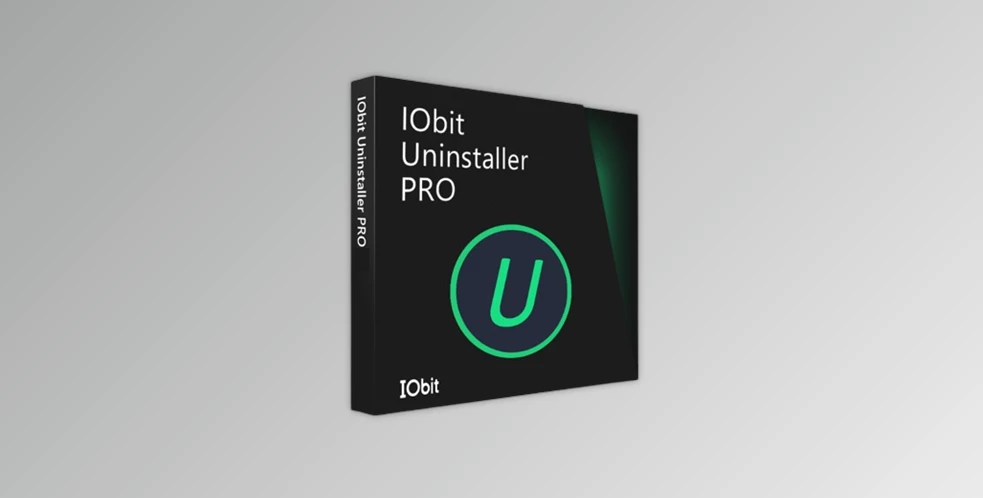
IObit Uninstaller 14 Pro: The Ultimate Solution for Clean PC Performance
When your Windows PC starts feeling sluggish due to accumulated software, leftover files, and stubborn programs that refuse to uninstall, IObit Uninstaller 14 Pro emerges as the ultimate solution. This powerful uninstaller goes far beyond Windows’ built-in removal tools, offering deep cleaning capabilities that ensure your system stays optimized and clutter-free.
is a comprehensive software removal tool designed specifically for Windows users who demand thorough cleanup. Unlike standard uninstallers that often leave behind registry entries, temporary files, and hidden folders, this professional-grade utility performs deep scans to eliminate every trace of unwanted software.
-
Complete program removal with zero leftovers
-
Force uninstall for stubborn software that won’t budge
-
Batch uninstall capability for removing multiple programs simultaneously
-
Install monitor that tracks software changes for perfect rollbacks
-
Malicious extension detection and removal
-
Toolbar and adware elimination across all major browsers
-
Privacy protection through comprehensive browser cleaning
-
Real-time monitoring of browser modifications
-
Software updater to keep programs current
-
Windows update management and removal
-
File shredder for secure deletion
-
Registry cleaner for system stability
The Pro version delivers deep scanning technology that identifies and removes leftover files, registry entries, and hidden components that free uninstallers typically miss. This thorough approach prevents system slowdowns and ensures optimal performance.
With built-in malware detection and browser protection, IObit Uninstaller 14 Pro safeguards your system while cleaning. It identifies potentially harmful extensions and removes them before they can compromise your privacy or security.
The batch uninstall feature allows you to remove multiple programs in one operation, while the software updater keeps your applications current without manual intervention. These automation features make system maintenance effortless.
-
-
Download from the official IObit website
-
Run the installer with administrator privileges
-
Allow the initial system scan to complete
-
-
-
Select unwanted software from the main interface
-
Choose between standard or force uninstall
-
Let the deep scan remove all associated files
-
Review and confirm leftover file deletion
-
-
-
Navigate to the Browser Plugins section
-
Scan for malicious extensions and toolbars
-
Remove suspicious add-ons with one click
-
Reset browser settings if necessary
-
-
-
Use the Software Updater for security patches
-
Remove problematic Windows updates
-
Shred sensitive files permanently
-
Clean registry entries for stability
-
This innovative feature tracks every change made during software installation, creating a complete map of files, registry entries, and system modifications. When you later uninstall the program, IObit Uninstaller 14 Pro can reverse every single change, ensuring perfect cleanup.
For programs that resist normal removal methods, the force uninstall feature breaks through protective mechanisms and removes even the most stubborn software. This is particularly useful for:
-
Corrupted installations
-
Malware disguised as legitimate software
-
Programs with damaged uninstallers
-
Bundleware that hides removal options
The Pro version includes software health monitoring that identifies outdated, vulnerable, or corrupted programs. It provides recommendations for updates, repairs, or removal, helping maintain system security and stability.
By removing unnecessary startup programs and cleaning leftover files, IObit Uninstaller 14 Pro significantly reduces boot time. Users typically report 20-30% faster startup after thorough cleanup.
The deep cleaning process recovers substantial disk space by eliminating:
-
Temporary installation files
-
Cached data from removed programs
-
Orphaned registry entries
-
Hidden backup files
Regular use prevents the accumulation of conflicting files and registry errors that cause crashes, freezes, and performance degradation.
offers exceptional value with its comprehensive feature set. The Pro license covers multiple PCs and includes:
-
Lifetime free updates
-
Priority technical support
-
Advanced cleaning algorithms
-
Commercial use rights
Compared to hiring professional PC cleaning services or dealing with system reinstallation, the Pro version pays for itself with the first major cleanup.
The software features an intuitive, modern interface that makes advanced functionality accessible to users of all skill levels. The main dashboard provides clear categories for:
-
Installed programs with size and installation date
-
Browser extensions organized by browser
-
Windows updates with safety ratings
-
System tools and utilities
Color-coded risk indicators help users identify potentially problematic software, while detailed program information assists in making informed removal decisions.
-
Perform weekly scans for new installations
-
Monthly deep cleaning of browser extensions
-
Quarterly review of installed software
-
Annual complete system optimization
-
Create system restore points before major cleanups
-
Review removal lists carefully before proceeding
-
Keep important software licenses and installers backed up
-
Test system functionality after extensive removals
transforms the tedious task of software management into a streamlined, efficient process. Its combination of powerful removal capabilities, security features, and system optimization tools makes it an essential utility for anyone serious about maintaining peak PC performance.
Whether you’re dealing with bloatware on a new computer, cleaning up after years of software accumulation, or maintaining multiple systems professionally, IObit Uninstaller 14 Pro delivers the thorough, reliable cleanup your Windows PC deserves.
SEO Keywords: IObit Uninstaller 14 Pro, best Windows uninstaller, remove stubborn programs, uninstall software completely, PC cleaner, software removal tool, uninstall utility, force uninstall, batch uninstall, remove leftovers, browser extension remover, Windows update uninstaller, software updater, system optimization, malware removal, registry cleaner, deep scan uninstaller, professional uninstaller, PC maintenance software, software health monitor
Several websites are offering IObit Uninstaller 14 Pro license keys for free through official giveaway campaigns. The most commonly shared license codes include:
-
(Expires: March 11, 2026)
-
(Expires: September 20, 2025)
-
(Expires: August 24, 2025)
-
(Expires: June 19, 2025)
-
(Expires: June 13, 2025)
- Key: 2DDD3-20407-75780-C7EBD Expiration date: Aug 24, 2025
-
Download IObit Uninstaller 14 from the official link:
https://cdn.iobit.com/dl/iobituninstaller.exe -
Install the software on your Windows PC
-
Launch the application and click “Enter Code”
-
Try one of the license keys listed above
-
Complete the activation process


About author


Add comment